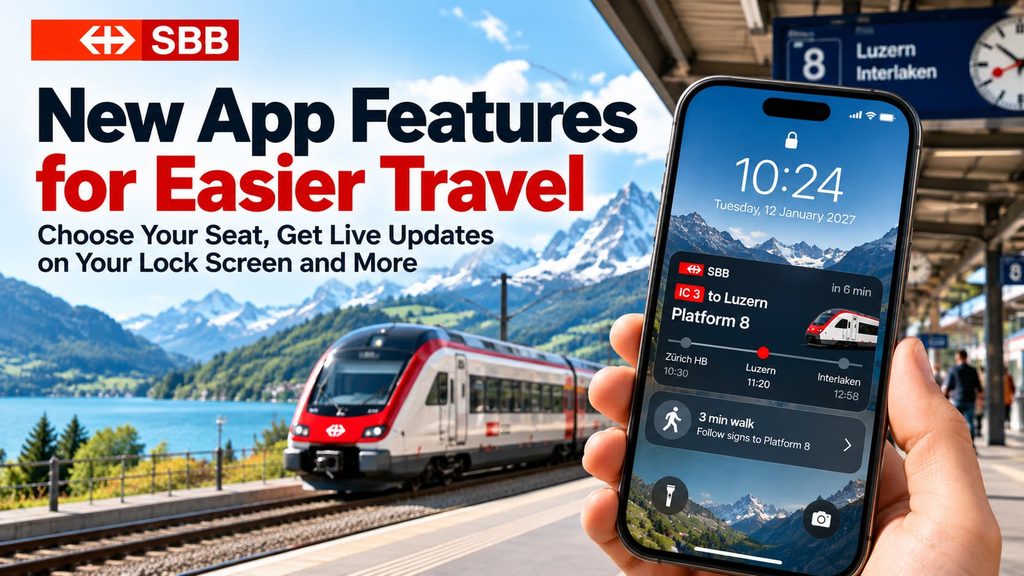
Switzerland’s SBB Mobile app is getting some useful upgrades, including the ability to choose your exact train seat and an upcoming feature that will show live travel updates directly on your phone’s lock screen.
For tourists traveling around Switzerland, these changes could make train journeys easier, especially when booking scenic routes or navigating unfamiliar stations.
Several features are already available in the latest SBB Mobile update, released in October 2026, while the new lock screen notifications are expected to arrive in 2027.
Here’s what’s changing and how you can use the new features.
👉👉 LEARN MORE ABOUT THE BEST APPS FOR YOUR TRIP 📱
Choose Your Exact Seat on Swiss Trains
One of the most useful improvements is the ability to select your seat using a visual train carriage layout, much like choosing a seat when booking a flight.
Previously, booking a particular seat through the SBB app wasn’t always easy. Now, on certain trains, you can see a graphical layout of the carriage and select the seat you want.
This is particularly useful for visitors who want a window seat, prefer sitting together, or are booking one of Switzerland’s famous scenic train journeys.
Which Swiss Trains Support Seat Selection?
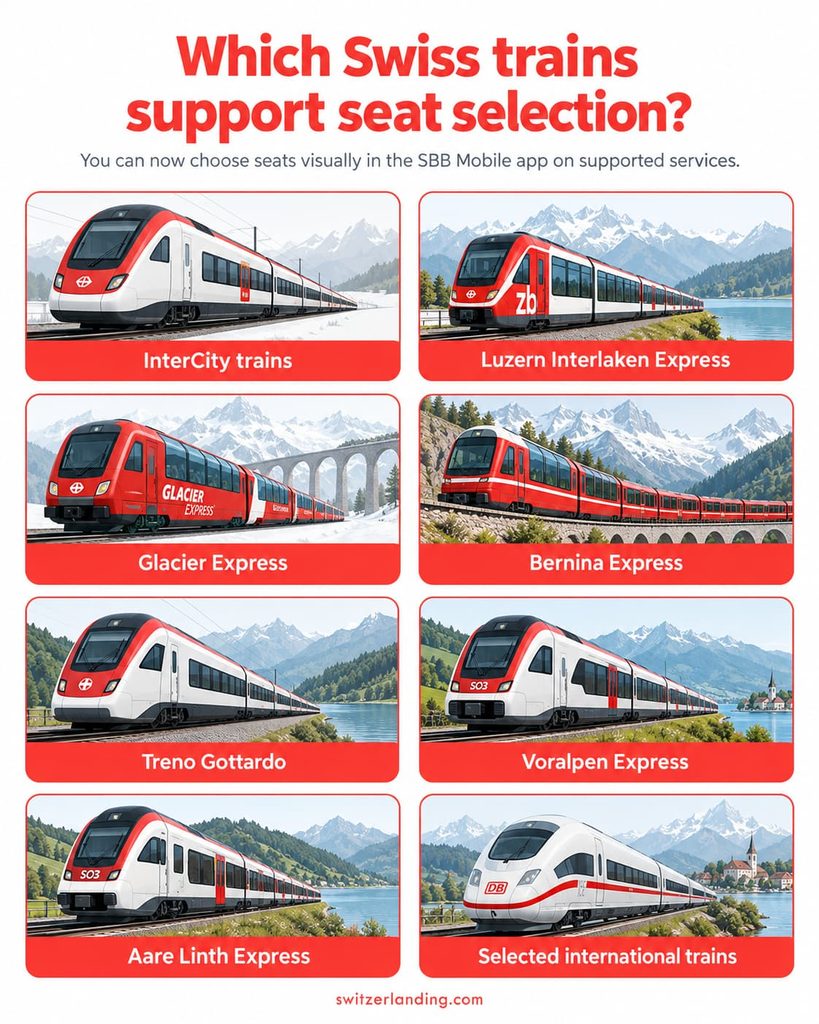
The new graphical seat selection feature is available on several Swiss long-distance and scenic train services, including:
- InterCity (IC) trains: Switzerland’s main long-distance train services.
- Luzern–Interlaken Express: One of the country’s most scenic regular train journeys.
- Glacier Express: The famous panoramic train between Zermatt and St. Moritz.
- Bernina Express: The spectacular railway journey through the Swiss Alps towards Italy.
- Treno Gottardo: A scenic service traveling along the historic Gotthard route.
- Voralpen-Express: Connecting Lucerne and St. Gallen through the Pre-Alps.
- Aare-Linth-Express: A long-distance service connecting north-eastern and central Switzerland.
Graphical seat selection is also supported on certain international trains traveling between Switzerland and Germany, Italy and France. For services to France, the new selection feature is currently limited to second class.
Availability depends on the particular train and connection.
👉👉 LEARN MORE ABOUT SEAT SELECTION ON PANORAMIC TRAINS
How to Choose Your Seat in the SBB App
For a supported train, the process is relatively straightforward:
- Open the SBB Mobile app and search for your journey.
- Select your preferred train (date/time) and tap the ticket price.
- Choose the option to add a seat reservation or book a reservation only.
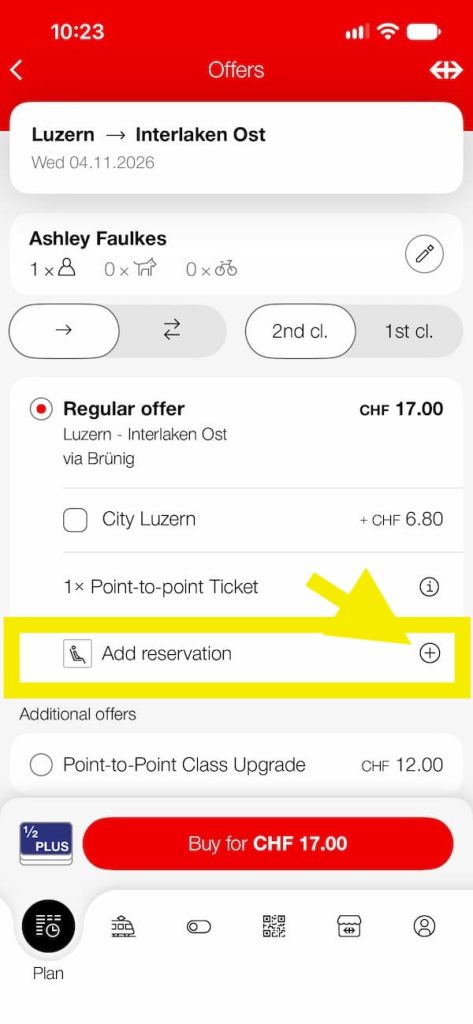
4. Select “Choose Seat on Picture” and open the graphical carriage layout.
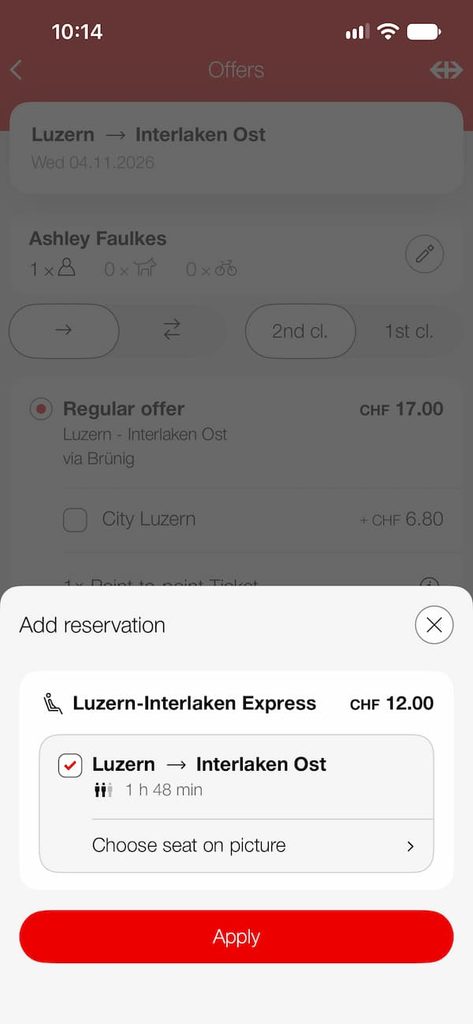
5. Choose your preferred seat and complete the booking. (Classes are along the left hand side)
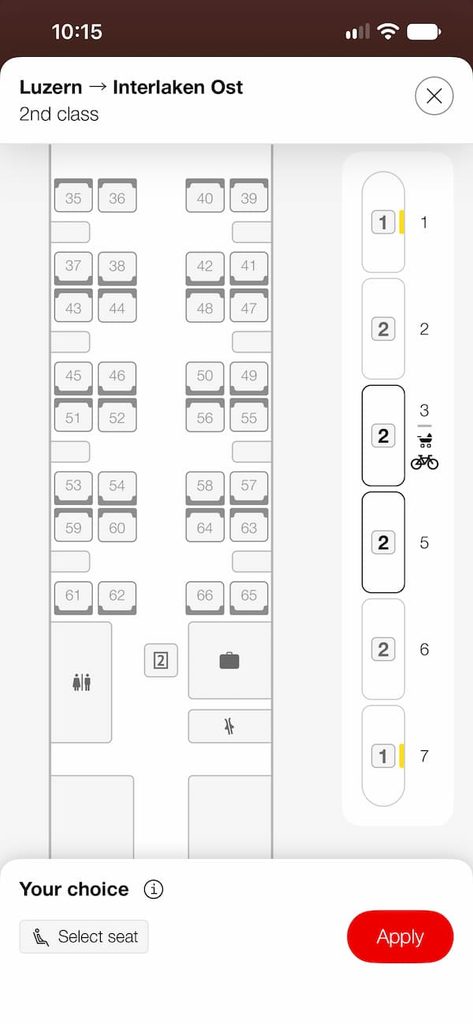
If the carriage layout doesn’t appear, the feature may not be available for that particular service.
Important: Most regular Swiss trains don’t require seat reservations, even if you are traveling with a Swiss Travel Pass or Swiss Half Fare Card.
However, reservations can be useful on busy long-distance journeys, and some panoramic trains, including the Glacier Express and Bernina Express panoramic services, require them.
The new feature also doesn’t guarantee you the best view. You still need to know which side of the train is preferable for your particular route.
Coming in 2027: Live Train Updates on Your Phone’s Lock Screen
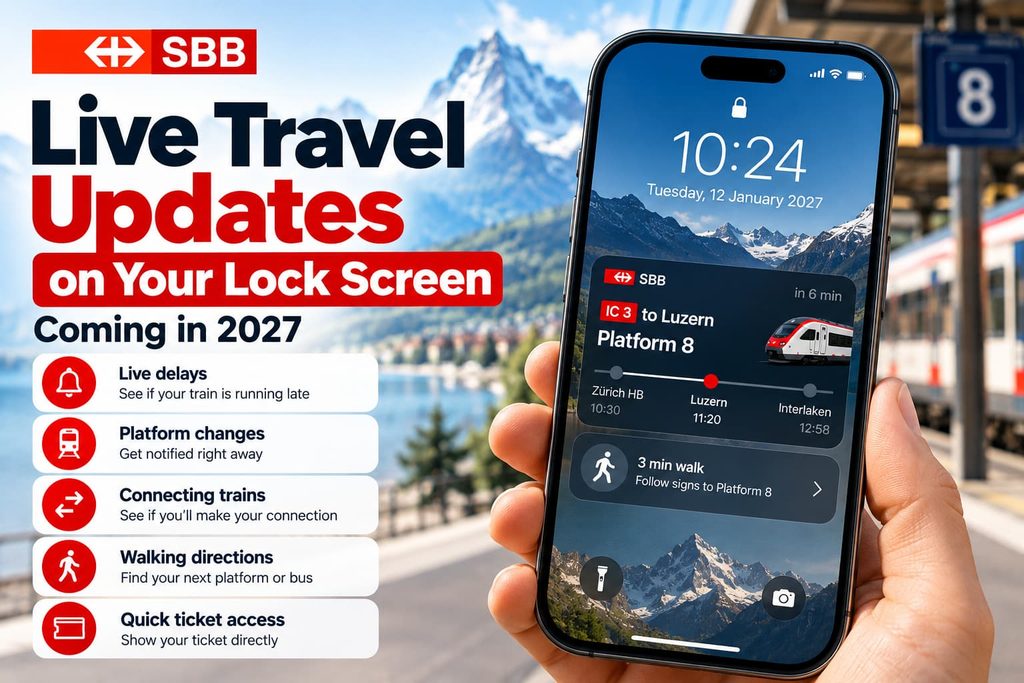
Another useful improvement is on the way, particularly for anyone traveling around Switzerland for the first time.
Want To Save This For Later?
SBB is testing a feature that will display live journey information directly on your smartphone’s lock screen, without unlocking your phone or opening the SBB app.
This should make it much easier to track a journey, especially when changing trains at busy stations.
What Will the Lock Screen Show?
The planned feature includes several useful pieces of information:
- Platform changes: See when your train moves to another platform.
- Live delays: Check whether your train is running late without reopening the app.
- Connecting trains: Receive information about connections, including when a connection may no longer be possible.
- Walking directions: See how to reach your connecting bus or other public transport service.
- Ticket access: Quickly open your ticket for inspection using a shortcut from the lock screen.
For example, imagine arriving at Zurich Hauptbahnhof and needing to catch a connecting train to Lucerne. Instead of opening the SBB app and searching through your journey details, you should be able to check the latest platform information directly on your phone.
This could be especially helpful when you only have a few minutes to make a connection.
When Will the New Feature Be Available?
The lock screen feature is already being tested through SBB Preview, the railway company’s testing app.
Testing began on iPhones in September 2026, with Android testing scheduled for late October.
SBB says it will introduce the feature into the regular SBB Mobile app no earlier than January 2027. SBB has not yet confirmed the exact release date.
Until then, travelers can continue using the existing SBB app notifications (worth activating) and journey information to monitor delays and platform changes.
EasyRide Now Works With Supersaver Tickets
SBB has also improved EasyRide, its automatic ticketing feature.
EasyRide allows you to check in before boarding public transport and check out at the end of your journey. The system then calculates the appropriate fare.
Previously, this wasn’t particularly convenient if you had already purchased a discounted Supersaver train ticket.
With the latest update, EasyRide can recognize an existing Supersaver ticket, so you can combine it with other public transport journeys without paying twice for the train section.
For example, if you have a Supersaver ticket from Zurich to Bern, you can use EasyRide for a tram journey to Zurich station and another tram or bus journey after arriving in Bern. The system recognizes the train ticket you already purchased and charges for the additional journeys.
One important requirement: link your Supersaver ticket and EasyRide to the same SwissPass account.
The update also lets travelers buy tickets for dogs and bicycles directly through EasyRide.
Remember that Supersaver tickets remain valid only for their specified connections, so activating EasyRide doesn’t let you take a different train.
Other Improvements to SBB Mobile
SBB has also integrated its P+Rail parking service into the main app.
Travelers who drive to railway stations can now book parking, extend a parking session or end it early without needing a separate app.
The standalone P+Rail app is due to be discontinued in January 2027.
This is more relevant to commuters and visitors combining driving with train travel, but it is another useful step towards bringing more services together in one place.
What These Changes Mean for Tourists in Switzerland
For visitors planning a Swiss train holiday, the biggest improvement is the new seat selection system.
Being able to view a carriage layout and choose a particular seat makes booking long-distance and scenic trains more convenient, especially when traveling as a couple or family.
The upcoming lock screen updates could be equally useful once they arrive in 2027. Switzerland’s public transport network is generally easy to navigate, but a late train or unexpected platform change can still be stressful when you’re unfamiliar with the system.
Seeing that information immediately, without repeatedly opening the app, should make connections much easier.
If you haven’t updated SBB Mobile recently, check the Apple App Store or Google Play Store to make sure you have the latest version before your next trip to Switzerland.
You can also find more information on the official SBB website.